Knowing your bank balance at the right time helps you stay in control of your money, avoid failed payments, and plan expenses better. IndusInd Bank offers multiple easy ways to check your account balance, ranging from missed call and SMS banking to UPI apps, internet banking, and mobile banking.
Whether you prefer simple offline methods or modern digital tools, IndusInd Bank ensures there’s a balance-check option that suits everyone.

IndusInd Bank Balance Check via Missed Call
Missed call banking is one of the fastest and most convenient ways to check your account balance without internet access.
Missed Call Services
Give a missed call from your registered mobile number to the relevant toll-free number:
| Service | Missed Call Number |
| Account Balance Enquiry | 1800 274 1000 |
| Download Video Branch App | 1800 274 2000 |
| Apply for IndusInd Bank Loan | 1800 532 3344 |
| Apply for Any IndusInd Product | 1800 833 6677 |
For balance enquiry, the call disconnects automatically and you receive an SMS with your account balance shortly.
IndusInd Bank Balance Check through SMS Banking
SMS banking is another easy option when you don’t want to make a call.
SMS Banking Number
- 92122 99955
SMS Format for Balance Enquiry
Send the following SMS from your registered mobile number:
BAL
You will receive an SMS with your account balance details.
Other SMS Banking Services
Using SMS banking, customers can also:
- Check last few transactions
- Recharge mobile numbers
- Recharge DTH connections
- Generate MMID
This makes SMS banking a useful offline alternative to apps and net banking.
Check IndusInd Bank Balance Using UPI Apps
UPI apps provide a quick digital way to check your balance.
Steps
- Download a UPI app (BHIM, Google Pay, PhonePe, etc.)
- Verify your registered mobile number
- Link your IndusInd Bank account
- Create your UPI PIN
- Tap Check Balance in the app
Once linked, you can check your balance anytime with just a few taps.
IndusInd Bank Balance Check via Internet Banking
Internet banking allows customers to access their accounts anytime from a browser.
How to Use
- Visit the IndusInd Bank internet banking portal
- Log in using your credentials
- View your account balance, transactions, and statements
Net banking is suitable for customers who want detailed account information.
IndusInd Bank Mobile Banking App
IndusInd Bank’s mobile banking app offers complete control over your finances.
What You Can Do
- Check account balance
- Transfer funds
- Pay bills
- View loan and card details
Simply download the app, activate it, and log in to manage your account on the go.
Traditional Ways to Check Balance
If you prefer offline or traditional methods, you can also:
- Update your passbook at the branch
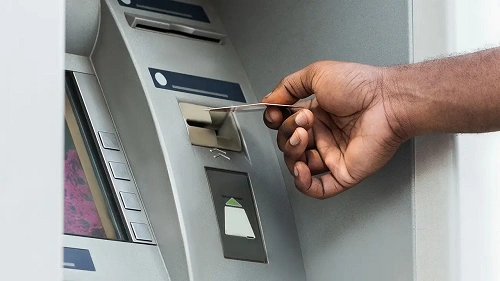
- Visit an ATM, insert your debit card, select balance enquiry, and enter your PIN
Important Things to Remember
- Missed call and SMS services work only from your registered mobile number
- IndusInd Bank never asks for OTP, PIN, or passwords via call or SMS
- Always use official numbers and the official website
- Update your mobile number with the bank if you change it
In conclusion, IndusInd Bank offers a wide range of easy and flexible ways to check your account balance. From quick missed calls and simple SMS banking to UPI apps and digital banking platforms, customers can choose the method that best fits their lifestyle.