The banking industry is slowly entering the world of immersive digital experiences. One of the more futuristic developments is the launch of metaverse-style banking environments where customers can explore virtual branches, interact with digital banking spaces, and access services inside a 3D environment. The Central Bank of India Metaverse Banking Portal is part of this growing trend.
While the concept sounds advanced and exciting, many users are facing navigation-related technical problems inside the virtual banking environment. Customers have reported issues such as frozen movement, spinning cameras, broken controls, viewport lag, avatar clipping, and WebGL crashes while accessing the portal. Some users also struggle with loading failures and unstable movement inside the virtual banking lobby.
These navigation problems are usually caused by browser rendering conflicts, hardware limitations, corrupted cache files, or unstable network synchronization between the client device and the portal server.
Here is a complete guide to fixing Central Bank of India Metaverse Banking Portal navigation errors.
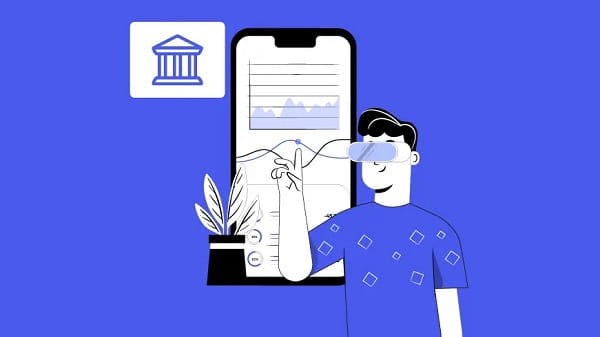
Why Navigation Errors Happen in Metaverse Banking
Unlike normal banking websites, metaverse banking systems rely heavily on:
- Real-time 3D rendering
- WebGL graphics engines
- Spatial movement systems
- Collision detection
- Continuous server synchronization
- Device GPU acceleration
If any of these components fail, the user may experience serious navigation breakdowns.
Common Navigation Problems Users Face
Customers commonly report:
- Avatar getting stuck inside walls
- Continuous camera spinning
- Frozen movement controls
- Portal loading endlessly
- Black screen after login
- Viewport lag and stuttering
- WebGL Context Lost errors
- Teleportation glitches
- Mouse pointer losing control
These issues are more common on low-end systems, outdated browsers, or unstable internet connections.
Main Causes Behind the Portal Navigation Errors
1. Outdated Browser Support
Older browsers often struggle with modern WebGL rendering engines required for immersive banking portals.
2. Disabled Hardware Acceleration
Without GPU acceleration, the CPU handles heavy graphical calculations, causing severe lag and freezing.
3. Corrupted Browser Cache
Old cache files can interfere with 3D asset loading and movement synchronization.
4. Weak Graphics Hardware
Metaverse portals require stronger graphical performance than traditional banking websites.
5. High Network Latency
Slow internet or packet loss can interrupt coordinate synchronization and cause clipping issues.
6. Device Input Conflicts
Connected gaming controllers or faulty mouse settings can interfere with camera movement systems.
How to Fix Central Bank of India Metaverse Navigation Errors
Clear Browser Cache and Site Data
One of the most effective solutions is clearing outdated cached files.
Steps:
- Open browser settings
- Go to Privacy and Security
- Clear cached images and cookies
- Remove site data related to the banking portal
- Restart the browser
This refreshes corrupted rendering files and spatial coordinates.
Enable Hardware Acceleration
Hardware acceleration allows the graphics card to handle 3D rendering more efficiently.
In Chrome or Edge:
- Open Settings
- Search for “Hardware Acceleration”
- Enable “Use graphics acceleration when available”
- Restart the browser
Without this feature, navigation becomes unstable during heavy rendering operations.
Update Graphics Drivers
Outdated GPU drivers often trigger viewport freezes and WebGL crashes.
Users should update:
- NVIDIA drivers
- AMD Radeon drivers
- Intel graphics drivers
Windows users can also quickly refresh graphics drivers using:
Win + Ctrl + Shift + B
This resets the graphics subsystem without restarting the entire computer.
Use the Portal Teleport Reset Feature
If your avatar becomes trapped inside objects or walls, use the portal’s teleport or map reset option.
Most metaverse banking platforms include:
- Lobby reset
- Spawn reset
- Quick travel zones
- Compass relocation systems
Teleporting to another area forces the avatar coordinates to refresh properly.
Lower Graphics Quality Settings
High graphical settings can overload weaker systems.
Reduce:
- Texture quality
- Shadow rendering
- Draw distance
- Reflection effects
- Anti-aliasing
Lower settings improve stability and movement responsiveness.
Re-Synchronize Input Controls
Sometimes mouse and keyboard synchronization fails inside the 3D environment.
Try:
- Pressing Esc to release cursor lock
- Clicking back inside the portal window
- Switching between WASD and arrow keys
- Disconnecting external controllers
This often fixes spinning camera problems.
Close Background Applications
Heavy applications consume GPU memory and RAM, reducing portal performance.
Close unnecessary:
- Browser tabs
- Video editors
- Games
- Streaming software
- High-memory applications
This frees resources for smoother portal rendering.
Minimum Recommended System Requirements
For stable metaverse banking performance, users should ideally have:
- 8 GB RAM or higher
- Intel i5 or equivalent processor
- Modern GPU or integrated graphics
- Updated operating system
- Stable 15 Mbps internet connection
Lower-end systems may struggle with immersive environments.
Are Financial Transactions Safe During Navigation Errors?
Yes. Most metaverse banking systems separate the visual frontend from the actual banking infrastructure.
Even if the portal crashes visually, backend financial systems usually remain protected and isolated securely.
Still, users should always verify transaction history after reconnecting.
Final Thoughts
Central Bank of India Metaverse Banking Portal navigation errors are usually caused by rendering conflicts, outdated browsers, graphics limitations, or synchronization failures inside the immersive 3D environment. Most problems can be solved through browser cleanup, hardware acceleration, graphics updates, and portal reset features.
As metaverse banking technology continues evolving, both banks and users will need stronger systems, optimized infrastructure, and better compatibility support to ensure smoother digital banking experiences.
FAQs
Q: Why does my avatar get stuck inside walls?
A: This usually happens because collision detection fails during lag or frame drops inside the 3D environment.
Q: What causes the camera to spin continuously?
A: Input conflicts, connected controllers, or corrupted browser viewport settings often trigger spinning camera problems.
Q: What does “WebGL Context Lost” mean?
A: It means the browser lost access to graphics memory due to heavy GPU usage or insufficient system resources.
Q: Can outdated browsers cause navigation failures?
A: Yes. Older browsers may not fully support modern WebGL rendering systems used in metaverse portals.
Q: Is hardware acceleration necessary?
A: Yes. It allows the graphics card to process rendering tasks efficiently instead of overloading the CPU.
Q: Are transactions safe if the portal freezes?
A: Usually yes. Financial operations typically run separately from the visual metaverse interface.
Q: Can low internet speed affect movement inside the portal?
A: Yes. High latency and packet loss can interrupt coordinate synchronization and movement stability.
Q: Should I reinstall the browser if problems continue?
A: Yes. Reinstalling or switching to another modern browser can sometimes solve persistent rendering conflicts.