The rise of digital assets, blockchain-based applications, and decentralized finance platforms has created growing interest in connecting traditional banking systems with Web3 wallets. Many users now attempt to link crypto wallets, tokenized payment systems, or blockchain-enabled financial platforms with online banking services for faster digital transactions and identity verification.
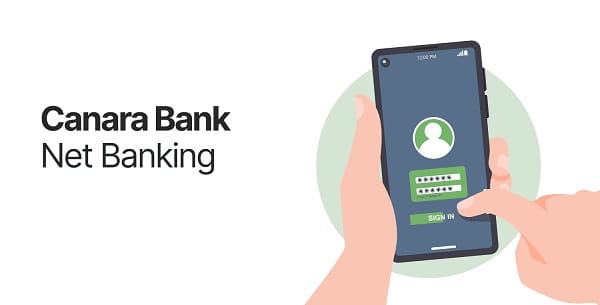
Some customers using Canara Bank Net Banking have reported connectivity issues while attempting to integrate Web3 wallets with financial applications, payment gateways, or blockchain-enabled platforms. These problems usually appear as connection failures, authorization errors, timeout messages, API verification failures, or wallet synchronization issues.
However, it is important to understand one key fact clearly: most Indian public sector banks, including Canara Bank, do not officially provide direct retail Web3 wallet integration support for decentralized crypto transactions inside standard Net Banking systems.
Most connectivity issues happen because users attempt to connect third-party blockchain wallets with banking systems that were primarily designed for regulated banking infrastructure instead of decentralized finance environments.
Here is a complete guide to understanding and fixing Canara Bank Net Banking Web3 wallet integration connectivity problems.
Why Web3 Wallet Integration Problems Happen
Traditional banking systems and decentralized blockchain networks operate very differently.
Banking systems rely on:
- Centralized verification
- RBI-regulated infrastructure
- Standard banking APIs
- KYC compliance
- Fraud monitoring systems
Meanwhile Web3 wallets often use:
- Decentralized blockchain authentication
- Smart contracts
- Non-custodial wallet keys
- Token-based authorization
- Decentralized applications (dApps)
This difference creates compatibility challenges between banking portals and Web3 platforms.
Common Connectivity Errors Users Face
Customers commonly report:
- Wallet connection failure
- Authentication timeout
- API rejection errors
- Banking session expiration
- QR verification issues
- “Access Denied” alerts
- Wallet synchronization failure
- Browser security warnings
- Transaction confirmation delays
These issues are especially common when using third-party crypto platforms with banking-linked payment systems.
Main Causes Behind the Connectivity Problems
1. Unsupported Direct Wallet Integration
Most Indian banks do not officially support direct integration with decentralized crypto wallets for retail banking operations.
2. Browser Security Restrictions
Modern browsers sometimes block Web3 scripts, wallet extensions, or cross-origin requests during banking sessions.
3. VPN and Geo-Location Conflicts
Blockchain applications often use different server regions, while banking systems monitor suspicious login geography for fraud prevention.
4. Session Timeout Policies
Banking portals automatically terminate inactive or unusual sessions to maintain security.
5. Extension Conflicts
Wallet extensions such as MetaMask or similar browser plugins may interfere with secure banking pages.
6. API Synchronization Failure
Some fintech platforms attempt to connect bank accounts through APIs that are not fully compatible with Canara Bank’s infrastructure.
How to Fix Canara Bank Web3 Wallet Connectivity Problems
Use Official Banking Channels Only
Always begin from official banking systems rather than unknown third-party integration links.
Access Net Banking directly through the official Canara Bank portal.
Avoid logging into banking services from:
- Unknown Web3 websites
- Telegram links
- Wallet pop-up windows
- Unverified browser extensions
Update Your Browser
Modern encryption and API communication require updated browsers.
Recommended browsers include:
- Google Chrome
- Microsoft Edge
- Mozilla Firefox
- Safari
Older browsers may fail secure session handling.
Disable Conflicting Browser Extensions
Some wallet plugins interfere with banking page security.
Temporarily disable:
- Crypto wallet extensions
- Ad blockers
- Script injectors
- Privacy modification plugins
Then reload the banking session.
Clear Browser Cache and Cookies
Corrupted cookies or expired session tokens may interrupt connectivity.
Steps:
- Open browser settings
- Clear cache and cookies
- Restart browser
- Open a fresh Net Banking session
This refreshes secure authentication layers.
Avoid Using VPN Services
Banking systems may flag VPN-based traffic as suspicious activity.
Disable:
- VPNs
- Proxy servers
- DNS masking tools
before attempting wallet-linked verification or payments.
Use Stable Internet Connectivity
Interrupted internet sessions often break secure API communication between the wallet platform and banking servers.
A stable private Wi-Fi connection works better than weak mobile data networks.
Verify Whether the Third-Party Platform Supports Indian Banking APIs
Many blockchain platforms advertise “bank integrations” without official support from Indian banks.
Check whether the service officially supports:
- UPI integration
- FIU compliance
- Indian KYC frameworks
- RBI-regulated payment infrastructure
Unsupported services frequently fail during authentication.
Re-Authenticate Banking Sessions
If the Net Banking session expires:
- Log out fully
- Close the browser
- Reopen the portal
- Log in again
- Retry the connection process
Fresh sessions reduce token synchronization errors.
Keep Mobile Number and KYC Updated
Advanced payment verification systems often require:
- OTP validation
- Device verification
- Active mobile registration
- Updated KYC information
Outdated account details may block advanced authentication requests.
Important Security Warning
Customers should be extremely careful with fake Web3 integration requests.
Scammers often create fake pages claiming:
- “Connect your wallet to Canara Bank”
- “Verify blockchain banking access”
- “Activate decentralized banking”
- “Sync digital wallet with bank account”
These are commonly phishing attempts designed to steal:
- Net Banking credentials
- Wallet recovery phrases
- OTPs
- Debit card information
Indian banks do not ask customers to share private wallet keys or crypto seed phrases.
Does Canara Bank Officially Support Crypto Wallet Banking?
At present, Indian banking regulations surrounding crypto-related integrations remain limited and tightly monitored. Most public sector banks focus mainly on regulated digital banking infrastructure rather than open decentralized wallet connectivity.
Users should not assume that all Web3 platforms are officially supported by banking systems.
Final Thoughts
Canara Bank Net Banking Web3 wallet integration connectivity problems are usually caused by compatibility limitations between traditional banking infrastructure and decentralized blockchain systems. Most issues can be reduced by using updated browsers, disabling conflicting extensions, avoiding VPNs, clearing session data, and using only trusted financial platforms.
Customers should remain cautious about unofficial wallet integration services and always prioritize banking security while experimenting with emerging Web3 financial technologies.
FAQs
Q: Does Canara Bank officially support Web3 wallet integration?
A: Direct decentralized wallet integration support is currently very limited within standard public sector banking systems.
Q: Why does the wallet connection keep failing?
A: Browser conflicts, unsupported APIs, VPN usage, or session expiration commonly cause the issue.
Q: Can browser extensions interfere with Net Banking?
A: Yes. Crypto wallet extensions and script injectors may disrupt banking security protocols.
Q: Is it safe to connect crypto wallets with banking systems?
A: Only use trusted and regulated platforms. Avoid sharing wallet seed phrases or banking credentials.
Q: Can VPNs cause authentication failure?
A: Yes. Banking systems may flag VPN traffic as suspicious or geographically inconsistent.
Q: Should I clear cache before retrying?
A: Yes. Clearing cookies and cached session files often fixes synchronization problems.
Q: Are all Web3 payment platforms officially supported in India?
A: No. Many platforms operate independently without formal banking integration support.
Q: What should I do if I suspect a phishing attempt?
A: Immediately stop the process, avoid clicking further links, and contact official Canara Bank support channels.